Collect exactly what you need
Add text, numbers, dates, dropdowns, checkboxes, swatches, uploads, and layout content to product pages.

Create flexible product options, collect personalization details, apply price add-ons, and show the right fields at the right time—without rebuilding every product page.
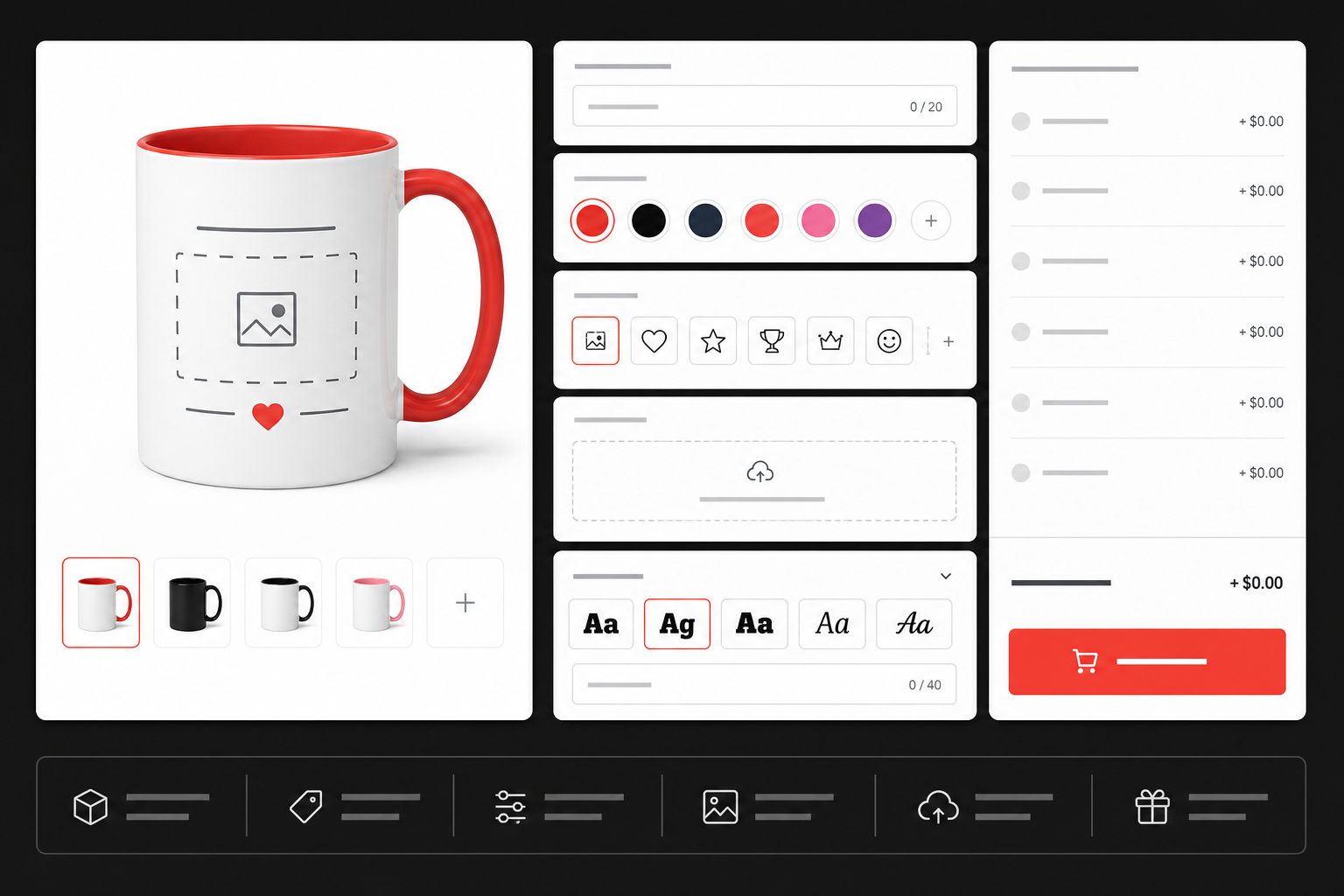
Give shoppers clear, useful choices while keeping option management simple for your team.
Add text, numbers, dates, dropdowns, checkboxes, swatches, uploads, and layout content to product pages.
Attach optional charges to premium materials, gift wrapping, rush service, custom files, or other upgrades.
Use conditional logic to reveal or hide fields based on earlier selections and reduce shopper confusion.
Create an option set once, assign it to multiple products, and maintain consistent choices across your catalog.
Let customers enter names and messages, select colors or images, and upload artwork directly on the product page.
Manage options from one workspace with responsive storefront output and no custom theme development required for standard setups.
Use a single field or combine multiple capabilities for more advanced products.
Collect structured shopper information.
Make selections easier to understand.
Collect content needed to fulfill custom orders.
Charge for premium selections.
Display options only when they matter.
Work faster across many products.
Purpose-built examples show how the core tools work together while keeping the shopper experience clean.
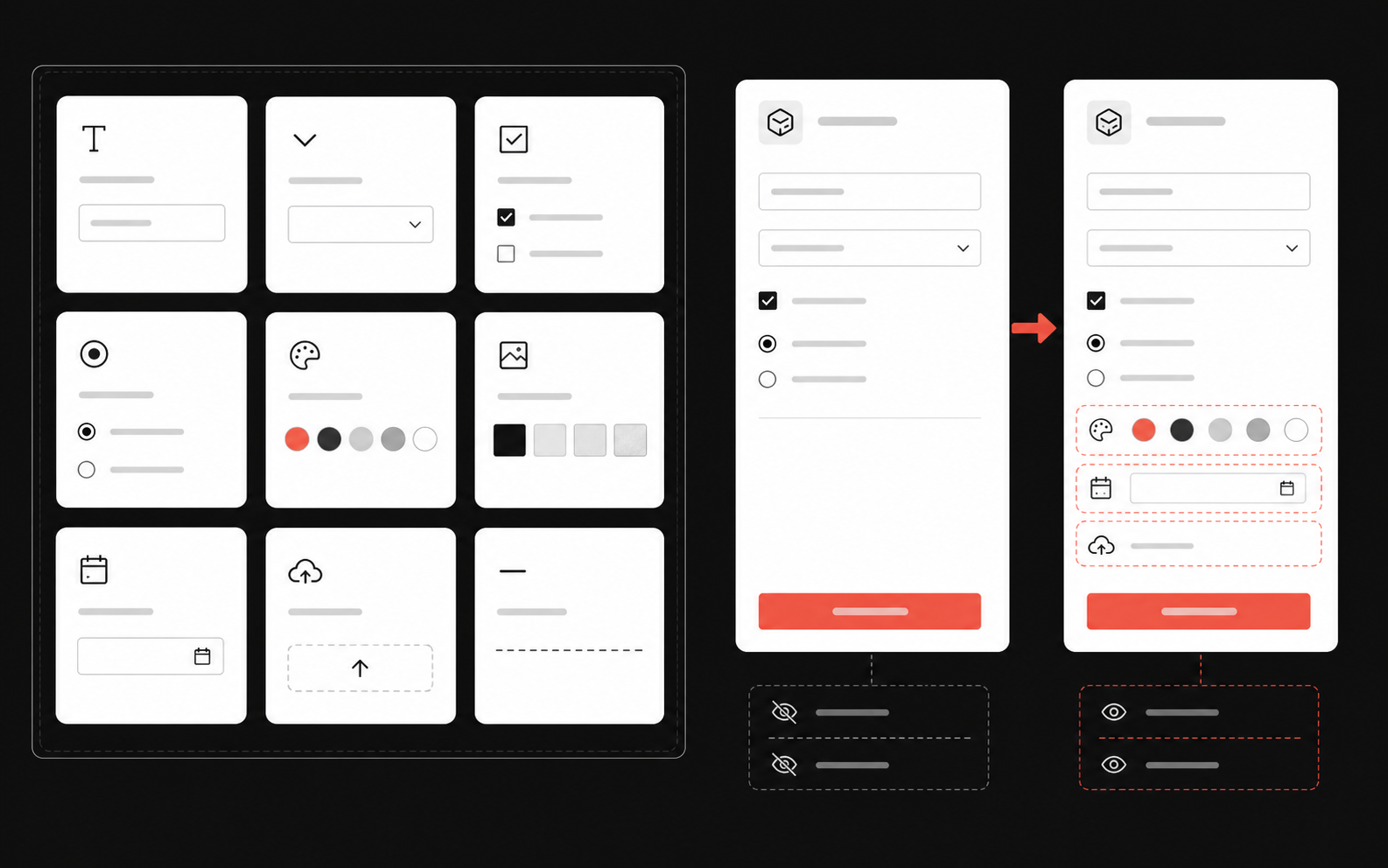
Build from flexible field types and guide shoppers through relevant follow-up choices.
Add extra charges where appropriate, then assign the same option set across related products.
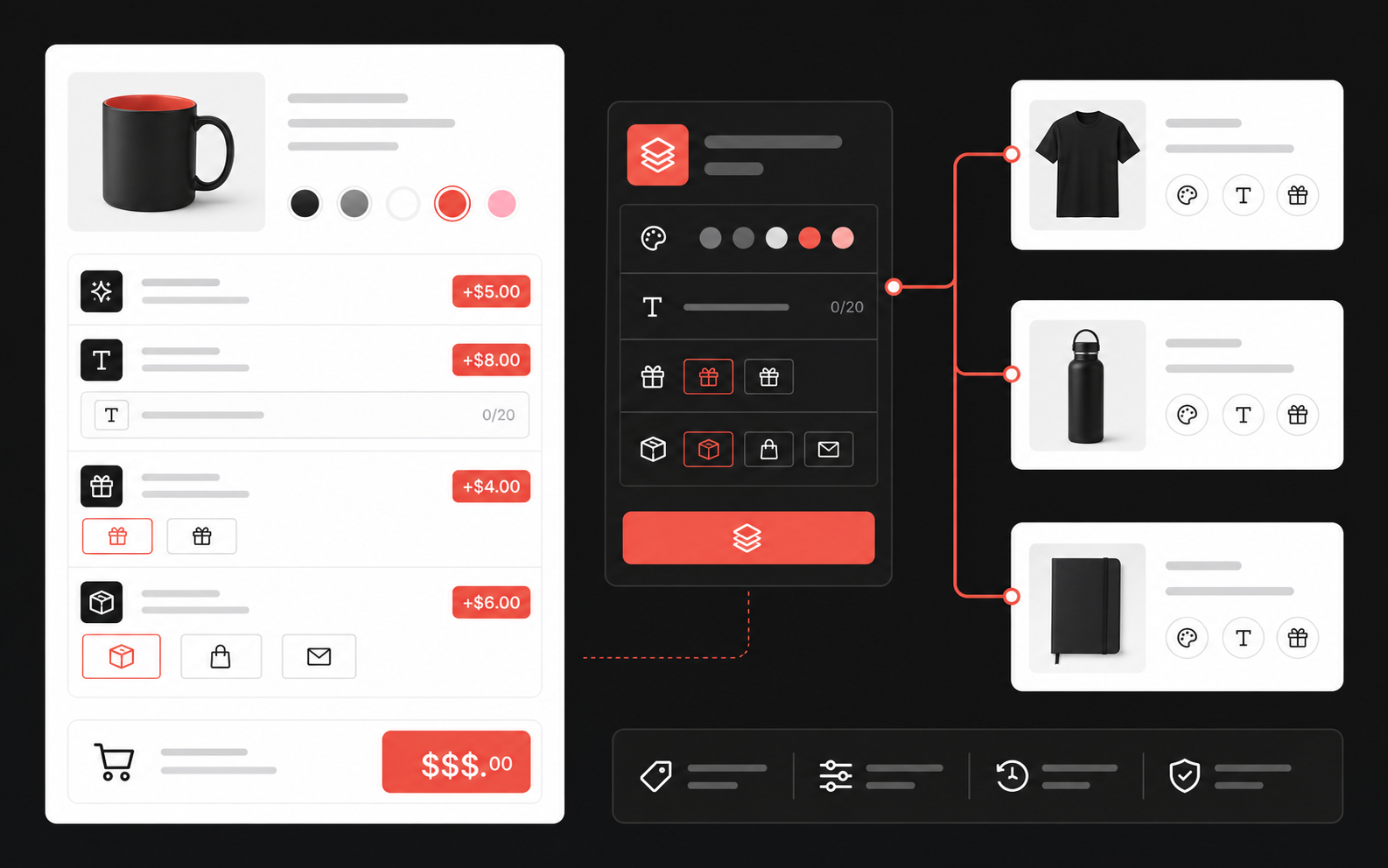
Start small, preview your storefront experience, then add advanced rules and pricing as needed.
Name the set for its purpose, such as engraving, gift options, or custom apparel.
Choose field types, labels, choices, required states, help text, and any price add-ons.
Configure conditional logic, then assign the set to the products that should use it.
Test on desktop and mobile, confirm prices and cart details, then publish the storefront experience.
Follow these short guides in order to activate the app, build option sets, assign products, add pricing, and configure conditional logic.
Activate EZ Product Options and prepare the app for your Shopify storefront.
Build your first option set and configure the fields customers will use.
Choose which products should display the option set on the storefront.
Add extra charges to premium choices, services, and product upgrades.
Show or hide fields dynamically according to a customer’s earlier selections.
Search by feature, setup task, or troubleshooting topic.
No FAQs matched your search. Try a shorter term or contact support.
Tell us what you sell and how customers should personalize it.